
This article will cover the following:
What Are Landing Pages?
Landing Pages are entities within CAKE which represent destination pages and confirmation pages for your traffic. Historically, users needed to upload a single landing page at a time to their offer. Now, managing landing pages just got easier with our latest import feature - a streamlined process for users to bulk add all their urls at once!
How To Bulk Import Landing Pages
To import multiple landing pages at once, follow these steps:
- Open the Offer Card
- Navigate to the Landing Pages tab
- Click the Import button
- Copy and paste each landing page url as a separate row
- Click Next to review
- Click Finish to begin the upload
- Wait for CAKE's confirmation notification
- Review the Landing Page grid to ensure all landing pages were uploaded sucessfully
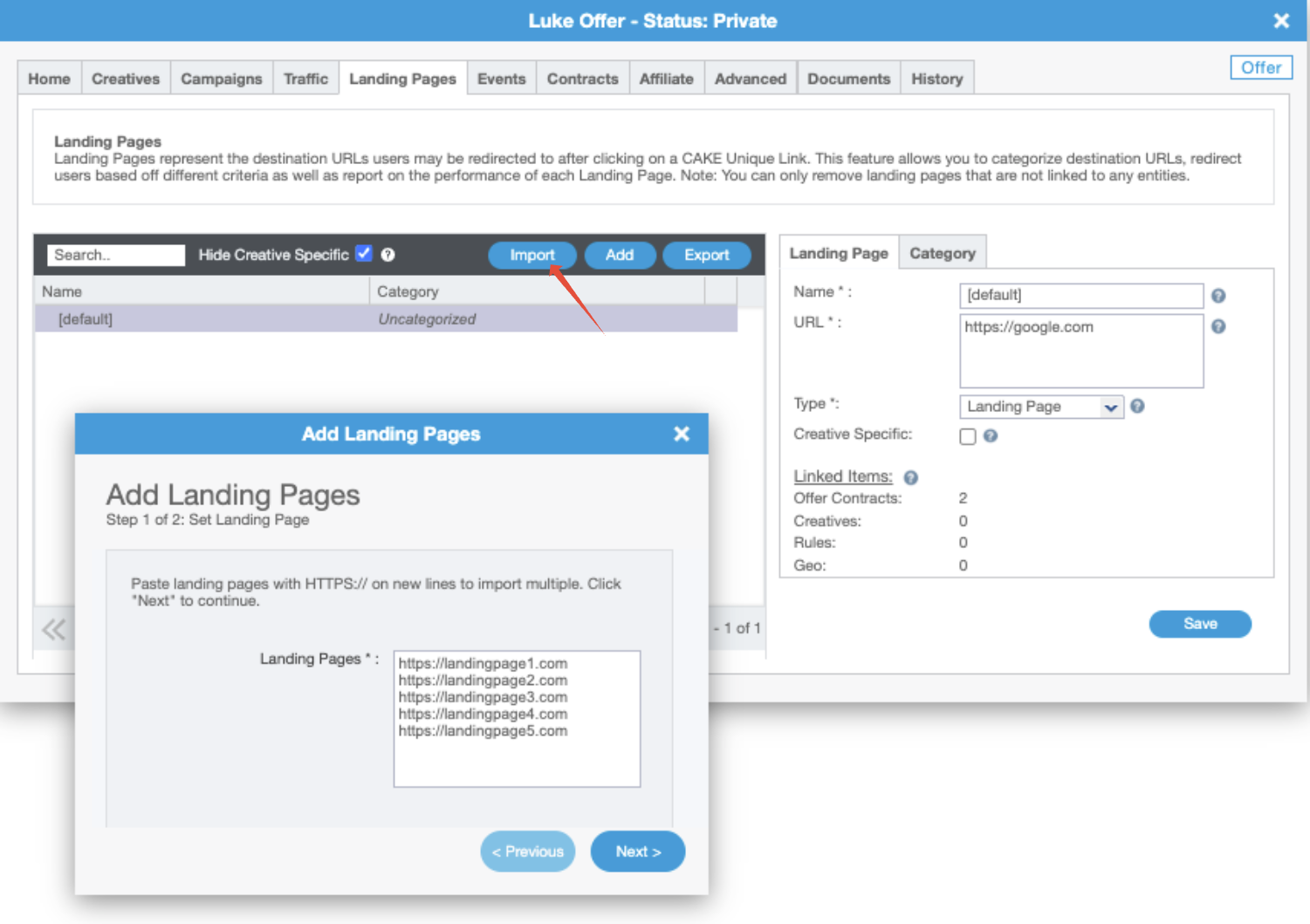
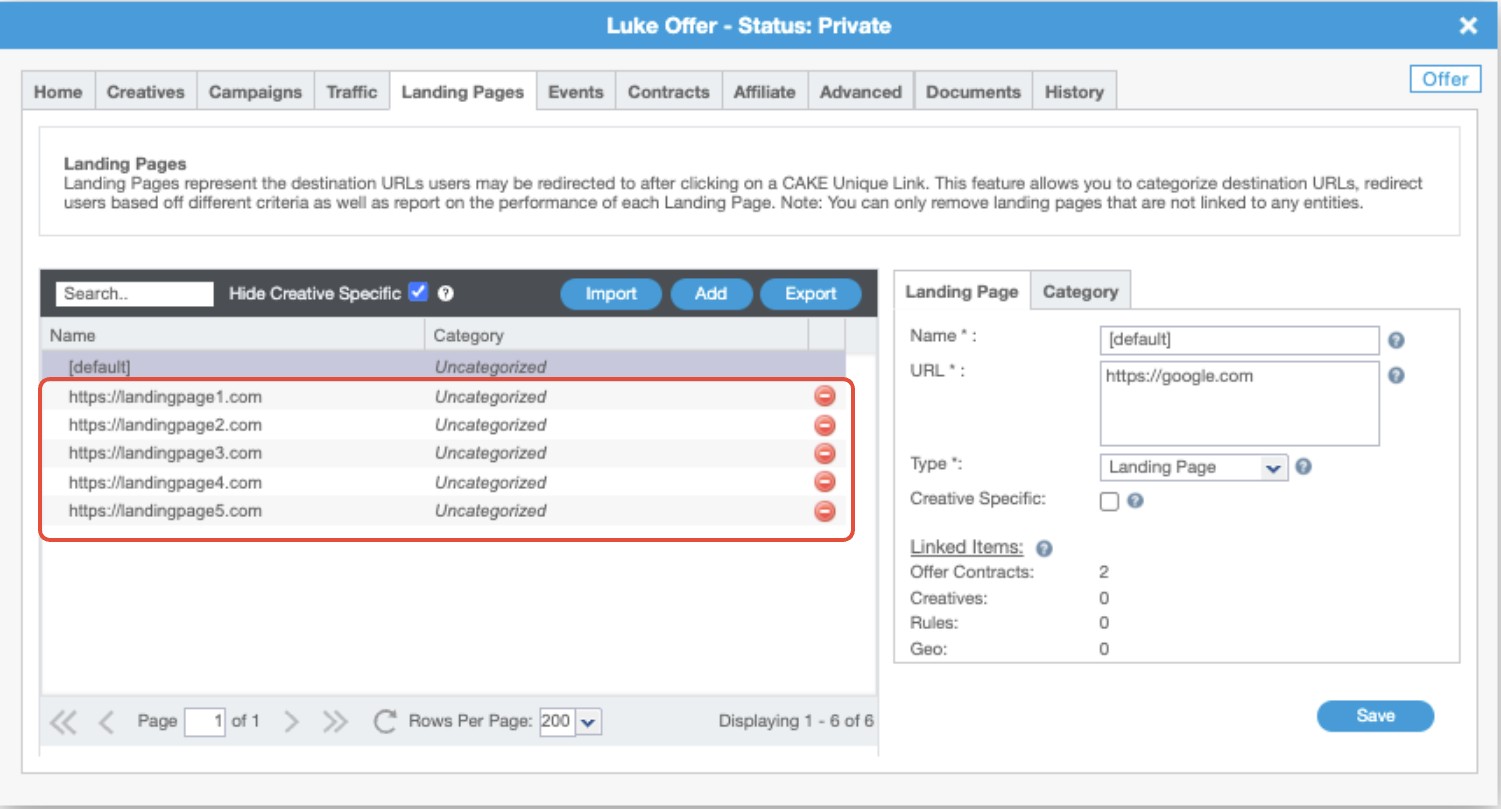
Depending on how many landing pages are being imported at once, you may need to wait a few seconds for upload to complete. You will receive a notification in the bottom left corner of your screen once the process has completed.
FAQ
Can I delete multiple landing pages at once?
Not at this time. This functionality is currently being considered as a future enhancement.
Can I assign multiple landing pages to creatives during the bulk upload process?
Not at this time. Please submit your feedback to the CAKE Idea Portal if this is a desired enhancement.
You may also be interested in:
If you have any questions, please reach out to your dedicated CAKE Client Success Manager/Account Manager or contact the CAKE Support Team at support@getCAKE.com.